When you have generative AI write web frontends, older ways of writing code sometimes surface: assembling a hand-rolled JavaScript modal in situations where the standard <dialog> element would do, or pulling in a large library for something achievable with CSS alone. As long as a model’s knowledge is frozen at its training cutoff, a gap with the fast-evolving web platform is a structural problem.
As a countermeasure to this problem, Google announced “Modern Web Guidance” — a skill set that teaches agents how to write modern web code — at Google I/O 2026 (May 19, 2026). In this article, having checked the official documentation and the GitHub repository on July 18, 2026 and actually run the bundled search commands, we lay out what it “teaches” and how.
Alongside the announcement, the Google I/O 2026 session video is also available.
▲ Session "Unlock modern web capabilities in your AI coding workflows" — Chrome for Developers (YouTube)
Conclusion — Is It Worth Adopting?
To state this article’s conclusion from a user’s perspective up front: if you have AI coding agents write web frontends, it is worth adopting. There are three reasons.
- The cost of adoption and maintenance is small. What stays resident in the agent’s context is only about 234 tokens of guidance text; the guide bodies are pulled in only when needed and only as much as needed (in our measurements this time, roughly 1,000 to 3,000 tokens per guide). It barely encroaches on ordinary work, and if it doesn’t suit you, you simply remove it. It is free under the Apache-2.0 license.
- What it teaches is narrowed down to “the areas agents are especially prone to getting wrong.”
<dialog>, the Popover API, View Transitions, and other areas where the way to write code has changed substantially over the past few years are the focus, while the obvious content that models already know has been deliberately trimmed away. Furthermore, thanks to Baseline integration, “how new a feature you may use” tracks the project’s browser-support policy. - It is not tied to a specific agent. Because the same skill can be read by multiple agents — Claude Code, GitHub Copilot CLI, Antigravity, and others — switching agents does not make your adoption go to waste.
On the other hand, there are also three caveats. The size of the improvement (+27 to +35 points) is an evaluation by Google itself, the very creator of the guides. It is an early preview, and its content and mechanism may change going forward. And because the configuration has the agent run npx commands each time, network connectivity and permission to execute commands are prerequisites, and it is effective only for frontend tasks.
Fortunately, you can verify the contents by directly invoking the search and retrieve commands without installing anything. You can try it in stages — first searching with a query close to a project at hand, judging the quality of the guides that come back, and then deciding on adoption. Below, we look in turn at the mechanism that forms the basis for this judgment.
What Was Released
The Google I/O 2026 announcement article describes Modern Web Guidance as follows.
Modern Web Guidance, now available in early preview, is a set of evergreen and expert-vetted skills that guide your coding agents across many common use cases to build modern web experiences that are more accessible, performant, and secure.
(Modern Web Guidance, released in early preview, is a set of skills maintained so as not to become obsolete and vetted by experts. It guides coding agents across many common use cases, helping build modern web experiences that are more accessible, faster, and more secure.)
The actual code is published on the GoogleChrome/modern-web-guidance repository on GitHub under the Apache-2.0 license, and the following command launches an interactive installer.
npx modern-web-guidance@latest installAs alternative installation methods, the README lists steps for Claude Code, GitHub Copilot CLI, Google Antigravity, GitHub CLI, and the Vercel Skills CLI (npx skills). Rather than being exclusive to a particular agent, it takes the distribution form of a “skill” that multiple agents can read — this is a distinctive feature. There are two skill packs: the general-web modern-web-guidance (about 234 tokens) and chrome-extensions (about 181 tokens), which covers Manifest V3-compliant extension development.
The Contents Are Not a Prompt Collection but a “Search Tool”
We cloned the repository and checked its contents (as of July 18, 2026). The skill’s core SKILL.md contains almost none of the best-practice text itself. The opening description begins with a strong instruction to the agent.
MANDATORY: Execute FIRST for all HTML/CSS and clientside JS tasks. Do NOT skip — web APIs evolve rapidly and training weights contain obsolete patterns.
(MANDATORY: Execute this first for all HTML/CSS and client-side JS tasks. Do not skip it — web APIs evolve rapidly, and training weights contain obsolete patterns.)
“Training weights contain obsolete patterns” — this amounts to Google itself spelling out the problem stated at the outset as an operating premise of the skill.
What SKILL.md instructs is a two-stage procedure. First, the agent runs the search command with a query representing what it wants to do. When we actually tried this by hand, JSON like the following came back.
npx -y modern-web-guidance@latest search "smoothly animate a dialog opening"[{"id":"animate-to-from-top-layer",
"description":"Animate elements such as dialogs, popovers, and tooltips as they're entering/exiting the top layer.",
"category":"overlays",
"featuresUsed":["::backdrop","<dialog>","overlay","@starting-style","transition-behavior"],
"tokenCount":1541,"similarity":0.6335},
{"id":"declarative-dialog-popover-control",
"description":"Toggle the visibility of a dialog or popover from a button without writing JavaScript.",
"category":"overlays",
"featuresUsed":["Invoker commands","Popover","<dialog>"],
"tokenCount":2948,"similarity":0.5348}]Next, passing a hit ID to the retrieve command returns the body of the corresponding guide (Markdown). In other words, this skill’s “way of teaching” is not to hand over an entire textbook. Rather than keeping the full guide text resident in the agent’s context, it is designed as a search tool that pulls in only the one or two guides needed, at the point they become needed. The fact that the search results explicitly include tokenCount (the token count if that guide were loaded) is an expression of this design intent. The README also states the following.
The guides are designed to be token-efficient; we run evals enabling us to prune lowest-common-denominator content that models already know.
(The guides are designed with token efficiency in mind. By running evaluations, we can prune the obvious, lowest-common-denominator content that models already know.)
The guide bodies are in the guides/ directory, and at the time of cloning there were 138 guides across 17 fields. The fields are accessibility, performance, forms, overlays, scroll, motion, css, css-layout, typography, datetime, passkeys, privacy, security, canvas, html, built-in-ai, and webmcp, with performance the largest at 24 guides. The figures the README cites are “102 features / 128 use cases,” and the actual file count is higher — suggesting that additions have continued even after the announcement (the I/O announcement article too says it will “regularly add continuous updates”).
The Contents of a Guide — Example: Top-Layer Animation
Let’s look at animate-to-from-top-layer, which came out on top in the earlier search. Elements rendered in the “top layer,” such as <dialog> and popovers, have traditionally been difficult to animate because they involve toggling with display: none. The guide explains the combination of current CSS that solves this — @starting-style (the starting style at appearance), transition-behavior: allow-discrete (transitioning discrete properties such as display), and the overlay property (keeping an element in the top layer during an exit animation) — complete with full code examples, extending even to ::backdrop staging and consideration for prefers-reduced-motion.
What is noteworthy is that browser-compatibility information is embedded in each guide, with dates. For example, the form-validation guide contains the following line.
Baseline status for :user-valid and :user-invalid: Widely available.
It's been Baseline since 2023-11-02.
Baseline Integration — Controlling “How New a Feature to Use” by Policy
This compatibility information is based on Baseline — a web-industry common metric that grades a feature as “Newly available” when it works in all the major browsers (Chrome, Edge, Firefox, Safari), and as “Widely available” once 30 months have passed since then and it can be used with confidence.
SKILL.md instructs the agent that, by default, “features that are Baseline Widely available may be used without a fallback; for features that are not, follow the guide’s fallback recommendations.” On top of that, it provides an override mechanism: if a browser-support policy is written in the project’s CLAUDE.md or AGENTS.md, that takes precedence. For “an internal tool that only needs to work on Safari 17.4 and above” you skip fallbacks, and for a “never use any polyfill” policy you choose a lightweight alternative implementation or a design change — such control takes effect simply by writing a natural-language policy.
How the Effect Is Measured
The README explains the evaluation harness. It is a closed loop: experts write the guides and the correct implementations (gold demos), calibrate a Playwright automated-grading script until it reaches “100% pass on the correct implementations, 100% fail on negative demos that deliberately use old ways of writing,” then run agents against realistic request phrasings that contain no API or feature names (e.g., “make the images load faster”) and compare pass rates with and without the skill. The following figures are posted as the most recent results (129 tasks / 1,071 assertions, run on July 6, 2026).
| Agent (model) | Without skill → with skill | Improvement |
|---|---|---|
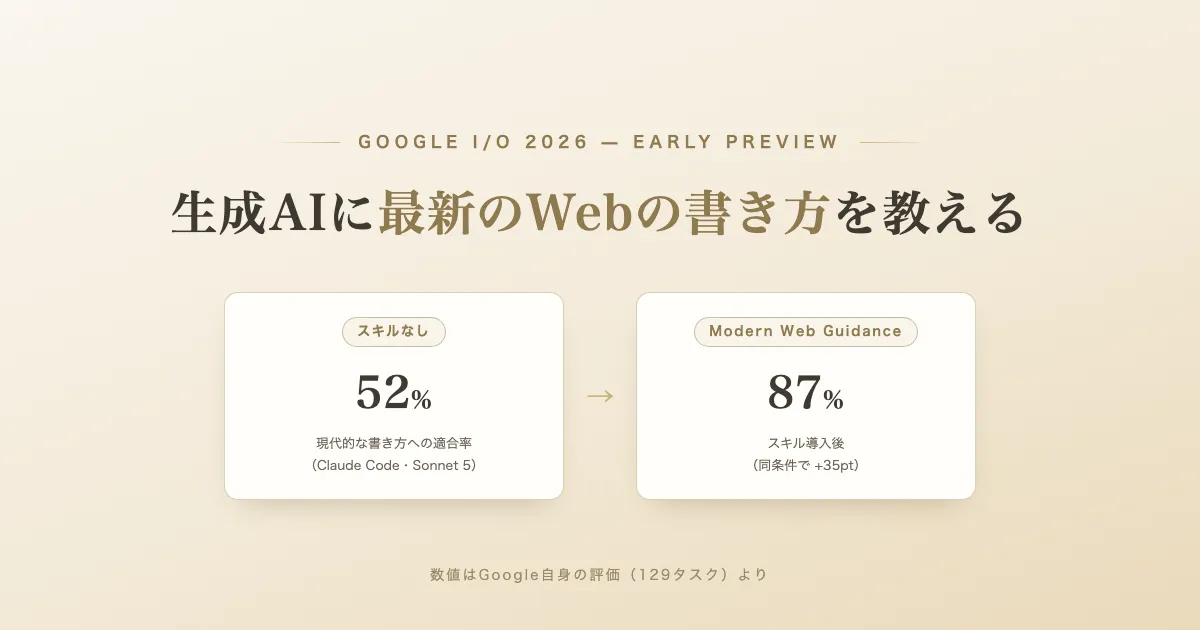
| Claude Code (Sonnet 5) | 52% → 87% | +35pt |
| Codex CLI (GPT-5.5) | 57% → 84% | +27pt |
| Antigravity | 54% → 87% | +33pt |
This table can be read two ways. One is the claim that adopting the skill yields a 27 to 35 point improvement. The other, flipped around, is Google’s own quantification of the problem stated at the outset: agents without guidance conform to modern best practices only about 50 to 60 percent of the time. That said, these figures come from Google’s own evaluation harness, the creator of the guides, and the task set too is built from the areas the guides cover — points that must be discounted when reading them.
Summary
- Modern Web Guidance is a skill set for AI coding agents that Google announced at Google I/O 2026 (May 19, 2026). It is published on GitHub as an early preview under the Apache-2.0 license
- The underlying problem framing is that “web APIs evolve rapidly, and training weights contain obsolete patterns,” spelled out at the top of
SKILL.md - What it actually is, is not a prompt collection but a search tool. The agent finds relevant guides with
searchand pulls in only what it needs withretrieve. There are 138 guides across 17 fields (as of the July 18, 2026 clone), and with each guide’s token count made explicit, the design is strongly conscious of conserving the context window - Each guide has Baseline-based browser-compatibility information embedded with dates, and by default it operates on “Widely available needs no fallback.” If you write a support policy in the project’s
CLAUDE.mdorAGENTS.md, that policy takes precedence - On Google’s own evaluation harness (129 tasks / 1,071 assertions), adopting the skill is said to improve the pass rate by 27 to 35 points. At the same time, these figures are also a quantification of the fact that agents without guidance stay at a pass rate of only 50 to 60 percent. That it is an evaluation by the creator itself is a point to keep in mind
- The same skill can be adopted across multiple agents — Claude Code, GitHub Copilot CLI, Google Antigravity, Vercel Skills CLI, and more — and can be installed interactively with
npx modern-web-guidance@latest install. It is also possible to try just thesearchandretrievecommands without installing
References
- Modern Web Guidance — Chrome for Developers (accessed July 18, 2026; source for the early-preview status and installation methods)
- Get started with Modern Web Guidance — Chrome for Developers (accessed July 18, 2026)
- 15 updates from Google I/O 2026 — Chrome for Developers (published May 19, 2026; source for the announcement)
- Unlock modern web capabilities in your AI coding workflows — Chrome for Developers (YouTube) (the Google I/O 2026 session video embedded in the body)
- GoogleChrome/modern-web-guidance — GitHub (Apache-2.0; source for the SKILL.md and README quotations, the guide count, and the evaluation results in the body. Cloned and checked on July 18, 2026; the
searchcommand output was measured the same day) - Baseline — web.dev (source for the definitions of Newly available / Widely available)